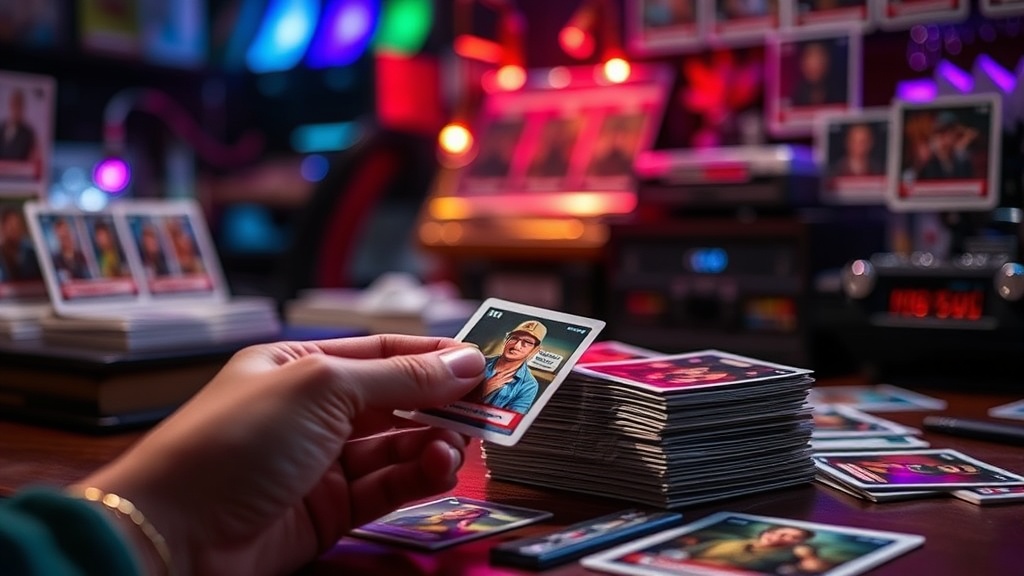
How to Photograph Your Trading Cards Without Glare or Distortion

Why do your card photos never look quite right—either washed out by reflections or oddly curved at the edges? Every collector eventually faces this problem, whether you're selling online, documenting your collection for insurance, or simply sharing a new pickup with the community. Poor photography doesn't just look amateur—it can cost you money when buyers question condition, or leave you without proper documentation if something goes wrong.
The good news? You don't need a professional studio or expensive equipment. Most glare and distortion issues stem from preventable mistakes with lighting, angle, and camera settings. This guide walks through practical techniques that work with any camera—from a smartphone to a DSLR—so you can capture cards that look exactly as they do in hand.
What's the Best Lighting Setup for Card Photography?
Harsh overhead lights and direct flash are the enemy. They create hot spots on glossy card surfaces and obscure delicate details like surface texture or holo patterns. Instead, you want soft, diffused light coming from multiple angles.
Natural daylight works beautifully—just avoid direct sun. Shoot near a large window during overcast conditions or when the sun isn't streaming directly through. The clouds act as a giant softbox, wrapping light around the card evenly. If you're shooting at night or lack good window light, two desk lamps with white parchment paper or commercial diffusion panels positioned at 45-degree angles on either side of the card will eliminate harsh shadows and reflections.
The key is balance. Light from only one side creates shadows that can hide edge wear or surface scratches. Light from directly above bounces straight back into your lens. Position your lights low and to the sides—imagine the card at the center of a triangle, with lights at two corners and your camera at the third. This cross-lighting technique reveals texture without creating mirror-like reflections.
For truly glare-free results, consider investing in a polarizing filter if you're using a dedicated camera. These filters rotate to block specific light waves and can virtually eliminate reflections from glossy card stock. Smartphone users can achieve similar effects with clip-on polarizing lenses or by simply finding the angle where reflections disappear—usually shooting slightly off-center rather than straight down.
How Do You Prevent Card Curling and Distortion in Photos?
Nothing says "amateur photo" like a card that looks bent or wavy when it's actually flat. This distortion happens when you shoot at extreme angles, use wide-angle lenses too close to the subject, or fail to keep the card completely flat against your background.
Start with a rigid, neutral background. White poster board, black foam core, or specialized photo mats all work well. The card should lie completely flat—if it won't stay down (common with older cardboard stock), gentle weights at the corners outside the image area can help. Never force a curled card flat; you risk damaging it. Instead, store it in a rigid sleeve for a few days before photographing.
Camera height matters more than you'd think. Shoot straight down from directly above, or position your camera parallel to the card's surface if shooting from the side. Any tilt introduces perspective distortion that makes parallel edges appear to converge. Smartphones are particularly prone to this when held at casual angles—use a simple tripod or even a stack of books to keep your device level.
Distance is your friend. The closer you get, the more optical distortion you'll encounter—especially with smartphone cameras that use wide-angle lenses. Step back and use optical zoom if available, or crop later. A card shot from 12 inches away will look more natural than one shot from 4 inches, even if the final image is cropped to the same size.
What Camera Settings Work Best for Capturing Card Details?
Auto mode isn't doing your cards any favors. Phone cameras especially tend to over-process images—aggressive sharpening can exaggerate surface texture into looking like damage, while heavy noise reduction can smooth away legitimate surface issues you need to document.
If your phone or camera offers manual or pro mode, use it. Set your ISO as low as possible—ideally 100 or 200—to minimize grain. Use a moderate aperture (f/5.6 to f/8 on dedicated cameras) for sharp focus across the entire card surface. Wide apertures like f/1.8 create shallow depth of field that leaves card corners soft while the center is sharp—not what you want for condition documentation.
White balance is critical for accurate color representation. Cards under warm tungsten lights look yellow; under cool LEDs they look blue. Either match your white balance to your light source or shoot in RAW format (available on most modern smartphones and cameras) to adjust colors precisely during editing. This matters enormously for vintage cards where color fading affects grading, or for modern parallels where subtle color shifts distinguish variants.
Focus manually if possible. Autofocus systems sometimes latch onto holo patterns or textured surfaces rather than the actual card face. Tap-to-focus on smartphones helps, but for serious selling or grading prep, manual focus ensures the edges and corners are as sharp as the center.
How Should You Handle and Position Cards During a Photo Session?
Even perfect lighting and camera settings won't save you if you're damaging cards while handling them. Clean hands aren't enough—natural oils transfer easily and can leave fingerprints on glossy surfaces that show up dramatically under camera lighting. Cotton gloves or freshly washed, completely dry hands are the standard.
Work on a clean, soft surface. A microfiber cloth or felt pad protects cards if they slip, and provides a professional-looking background that doesn't compete with the subject. Have your supplies arranged before you start: sleeves, toploaders, penny sleeves if you're photographing raw cards, and any labels or reference objects you include for scale.
Photograph cards in their protective packaging when possible. A card in a penny sleeve and toploader photographs beautifully through the clear plastic—just angle your lights to avoid reflections off the case. This protects the card throughout the process and demonstrates to buyers that you handle inventory carefully. For high-value raw cards where the sleeve might obscure details, work quickly and minimize exposure to open air and handling.
Shoot multiple angles every time. Front, back, and close-ups of any condition issues or notable features. It's far easier to delete extra photos than to reshoot because you missed something. For graded slabs, include angle shots that show the case edges—buyers want to verify the slab hasn't been cracked or tampered with.
Quick Reference: Photo Checklist for Selling
- Clean, lint-free background (white, gray, or black)
- Two light sources at 45-degree angles, diffused
- Camera parallel to card surface, minimum 12 inches away
- Low ISO (100-200), moderate aperture, accurate white balance
- Front, back, and detail shots of any flaws
- Include a ruler or coin for scale if selling online
- Photograph graded slabs from multiple angles including edges
Good card photography is a skill that pays dividends. Clear, accurate photos build trust with buyers, protect you in disputes, and create a visual record of your collection that's genuinely useful. Start with proper lighting and flat positioning—these two factors alone will improve your results above 90% of what's posted online. With practice, you'll develop an eye for angles that eliminate glare and settings that capture exactly what the eye sees. Your cards—and your wallet—will thank you.
For more technical guidance on camera settings and lighting theory, B&H Photo's guide to diffused lighting offers excellent detail on equipment and positioning. Collectors interested in the business side of photography should check PSA's official recommendations for documenting cards before submission. And for smartphone-specific techniques, DPReview's smartphone photography guide covers the technical limitations and workarounds for mobile cameras.